MozLinker is an extension for Mozilla which imports a remote RDF file containing links into toolbar and menu.
The supported RDF file is more or less in RSS 1.0 format (http://purl.org/rss/1.0/) with RDF container enhancement to provide hierarchical structure support.
Here are two example of supported RDF files.
Of course it also support the RSS 1.0 format.
http://www.cultivate-int.org/cultivateinteractive.xml


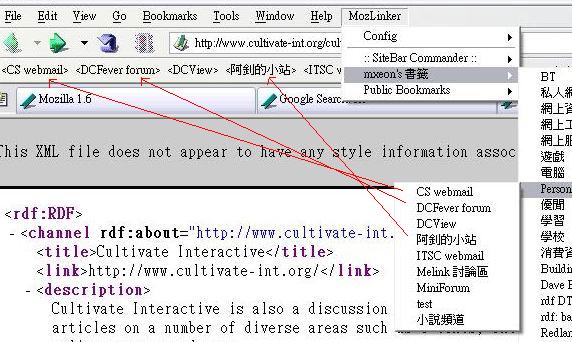
The above images are the result of importing http://www.cultivate-int.org/cultivateinteractive.xml.
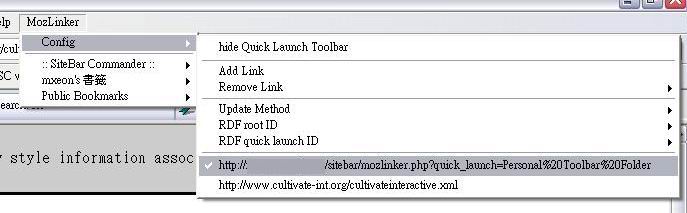
Only one remote RDF will be activated at a time. It would be noticed by a tick.

The menu provides ways to add and remove RDF from menu.
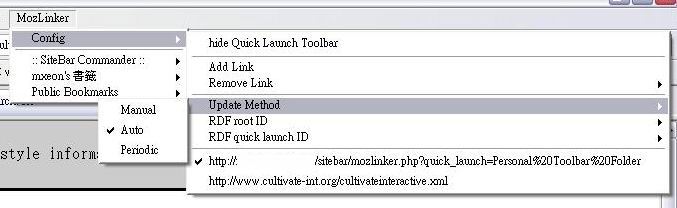
There are 3 update methods which arranges from least use of bandwidth to most use of bandwidth.
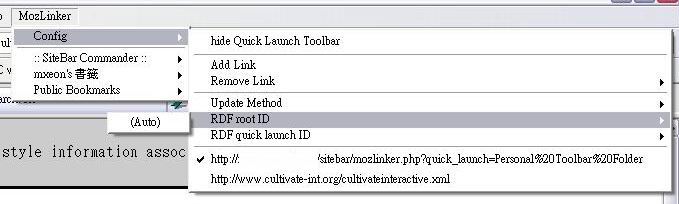
You could specify a container (Seq, Bag or Alt) to be the menu root by its resource uri.
Example:
Assume the following file located in http://hostname/folder/sample1.rdf. The 'Seq' resource will be http://hostname/folder/sample1.rdf#urn:root
| <RDF:RDF xmlns:RDF="http://www.w3.org/1999/02/22-rdf-syntax-ns#" xmlns:RSS="http://purl.org/rss/1.0/"> <RDF:Seq ID="urn:root" RSS:title="testrss"> <RDF:li> <RDF:Seq RSS:title="melink forum"> <RDF:li> |
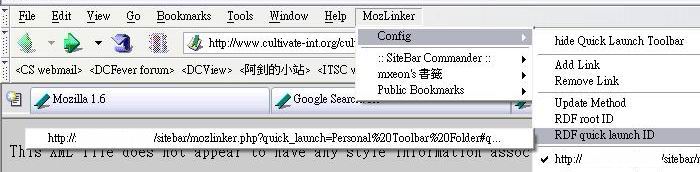
The quick launch toolbar could also use the same method to specify the container.
Example:
The 'Seq' resource will be http://mxeon.no-ip.org/temp/MozLinker/test.php#toolbar
| <RDF:Seq RDF:about="http://mxeon.no-ip.org/temp/MozLinker/test.php#toolbar"
RSS:title="melink forum"> <RDF:li RDF:resource="http://mxeon.no-ip.org/temp/MozLinker/menu_1_1" /> <RDF:li RDF:resource="http://melink.no-ip.org/phpBB2" /> </RDF:Seq> |
After setting, the result will be similar to follow.
To support sitebar, you need a mozlinker.php located at Sitebar host.
Then add the following link into MozLinker. (Assume the Sitebar hosted on http://www.sitebar.org/sitebar/ )
http://www.sitebar.org/sitebar/mozlinker.php
If you want to have a toolbar similar to the bookmarks system of mozilla, use the following link instead. (Assume the bookmark appeared in toolbar is in folder 'Personal Toolbar Folder ')
http://www.sitebar.org/sitebar/mozlinker.php?quick_launch=Personal%20Toolbar%20Folder
Then change the "RDF quick launch ID" to
http://www.sitebar.org/sitebar/mozlinker.php?quick_launch=Personal%20Toolbar%20Folder#quickLaunch
That's All!